

Server factory
The server factory is the pipeline that turns an API definition into a deployed MCP server. It runs in three stages — import → generate → deploy — and you can drive it from the dashboard or the CLI.1. Import a spec
MCPCloud parses your API definition and extracts each operation as a candidate tool. Each import creates anapiSource, a draft server, and editable draft tools.
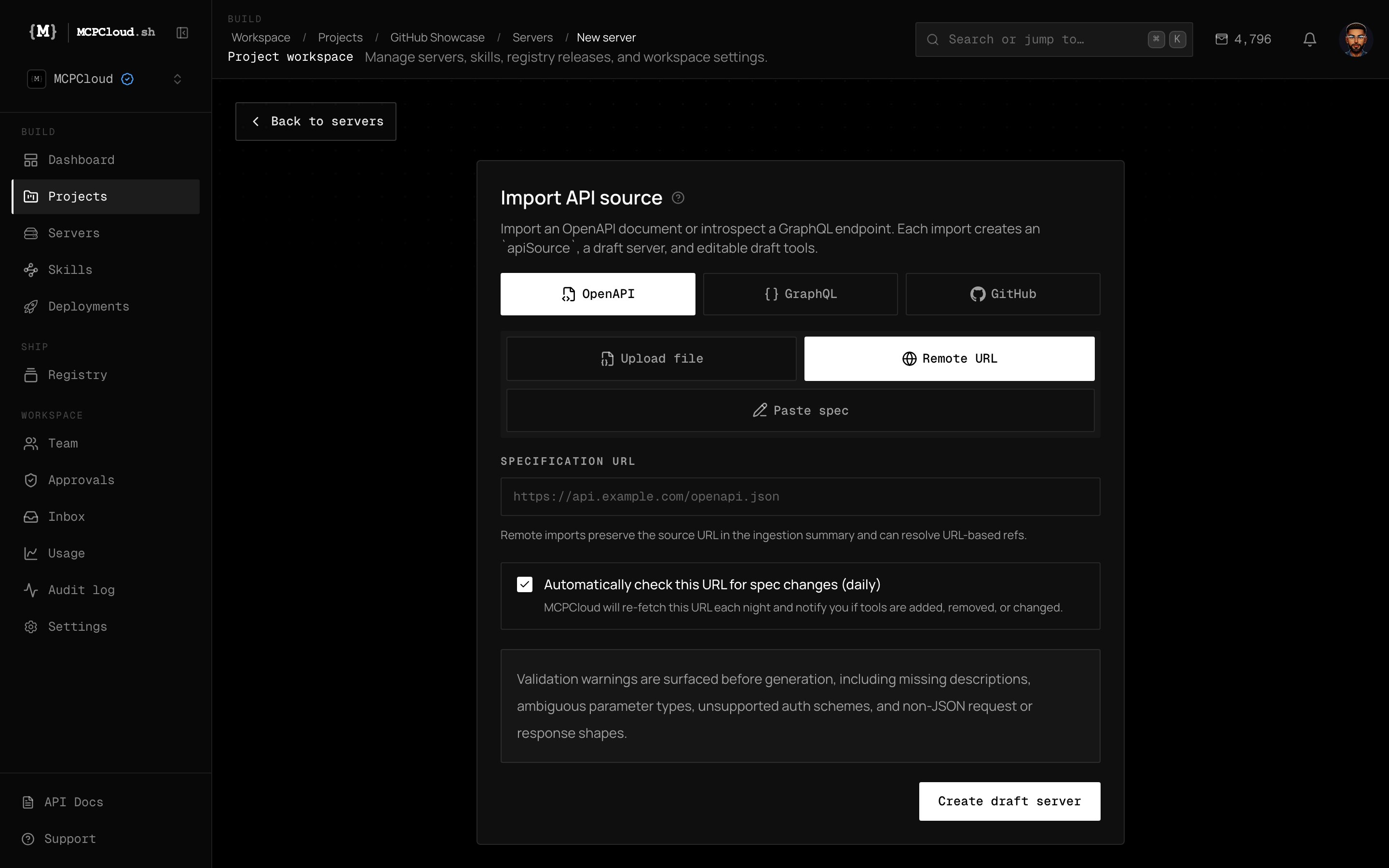
The Import API source screen — bring in an OpenAPI document, introspect a GraphQL endpoint, or ingest a GitHub repo.
OpenAPI / Swagger
Upload a JSON/YAML file or point at a remote spec URL. Each path + method becomes a typed tool.
GraphQL
Endpoint introspection turns queries and mutations into tools.
GitHub repository
Synthesize a tool surface from source in a repo.
Remote URL
Remote imports preserve the source URL and can auto-recheck daily for spec changes.
Validation warnings are surfaced before generation — missing descriptions, ambiguous parameter types, unsupported auth schemes, and non-JSON request/response shapes.
2. Enrich and generate
For every selected operation, Claude rewrites the tool description for agent comprehension, and MCPCloud runs deterministic codegen to produce a typed TypeScript tool:Tool descriptions stay editable, secrets never land in generated source, and the generated output remains portable. Enrichment is a per-tool operation — running it server-wide fans out across all unenriched tools.
eval(), no dynamic imports.