

Key concepts
MCPCloud is organized around a small set of durable objects. Most teams move from project setup to server composition to deployment operations, then automate pieces of that lifecycle.Project
The organizational root for a workspace — it holds servers, skills, members, imported API sources, and settings. Projects can be private or public, and Pro and above can share projects across a team.Server
A server is the deployable MCP unit where tools, auth, runtime bindings, and registry metadata converge. It is created as an empty skeleton, then shaped by importing a spec, enriching tools, and deploying.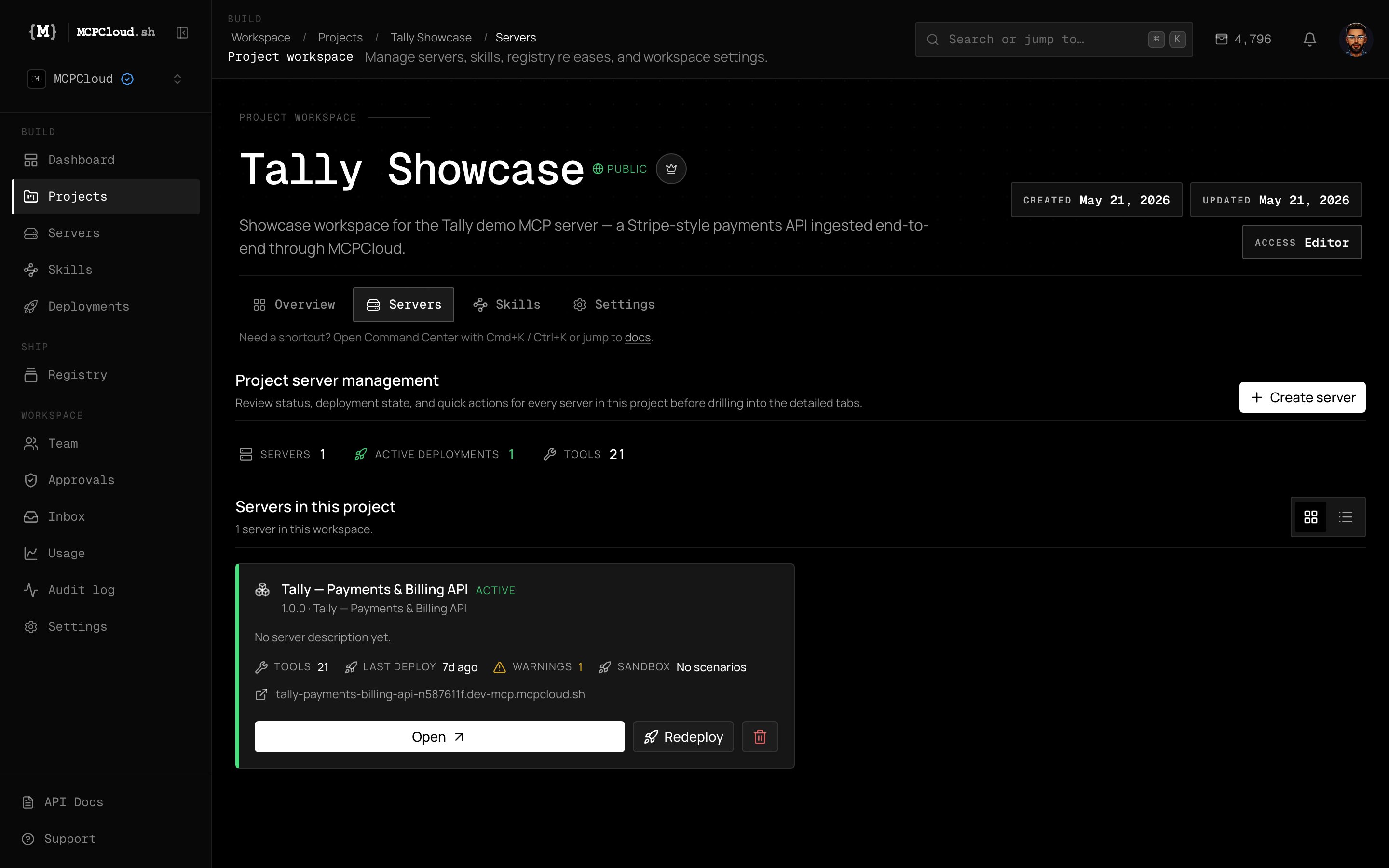
A real server inside the Tally project — status, tool count, last deploy, warnings, and live endpoint.
- Status and version —
active/paused and the current semantic version (for example,v1.0.0). - Live endpoint — the deployed runtime URL (for example,
tally-payments-billing-api-….dev-mcp.mcpcloud.sh). - Tools — the generated, AI-enriched tool count (the Tally server exposes 21).
- Deploy state — last deploy time, build warnings, and a quick Redeploy action.
- Sandbox scenarios — test runs bound to the server’s latest deployment.
Deployment
A deployment is an immutable runtime release with a distinct id, URL, access mode, and auth boundary. Deployments capture the runtime version that is actually serving traffic. New builds are promoted to production; the previous build is marked replaced.Skill and installation
- Skill — a reusable, versioned agent behavior package: a workflow of steps wired across MCP servers, with trigger phrases, guardrails, and an editable
SKILL.md. - Installation — a concrete attachment of a skill (or artifact) into a caller’s project/agent context. Installations are owned by the user who created them.
Marketplace artifact
Servers and skills can be published to the registry/marketplace as artifacts with published versions, making them discoverable and installable across orgs.Runtime access mode
Every deployment declares how it can be reached:
See Runtime access for the full model.
Credits
Work on the platform consumes credits (for example, AI enrichment runs). Each plan includes a monthly credit allotment that resets per billing period, with prepaid top-up packs on paid tiers. See Credits & plans.Reads vs mutations
- Reads (
GET) fetch state and identifiers for automation. - Mutations (
POST,PATCH,DELETE) change resources and should use tighter scopes and idempotency keys where supported.