

Lifecycle
This is how an MCP server moves from an idea to reliable production usage on MCPCloud. Skills follow the same shape, composed on top of deployed servers.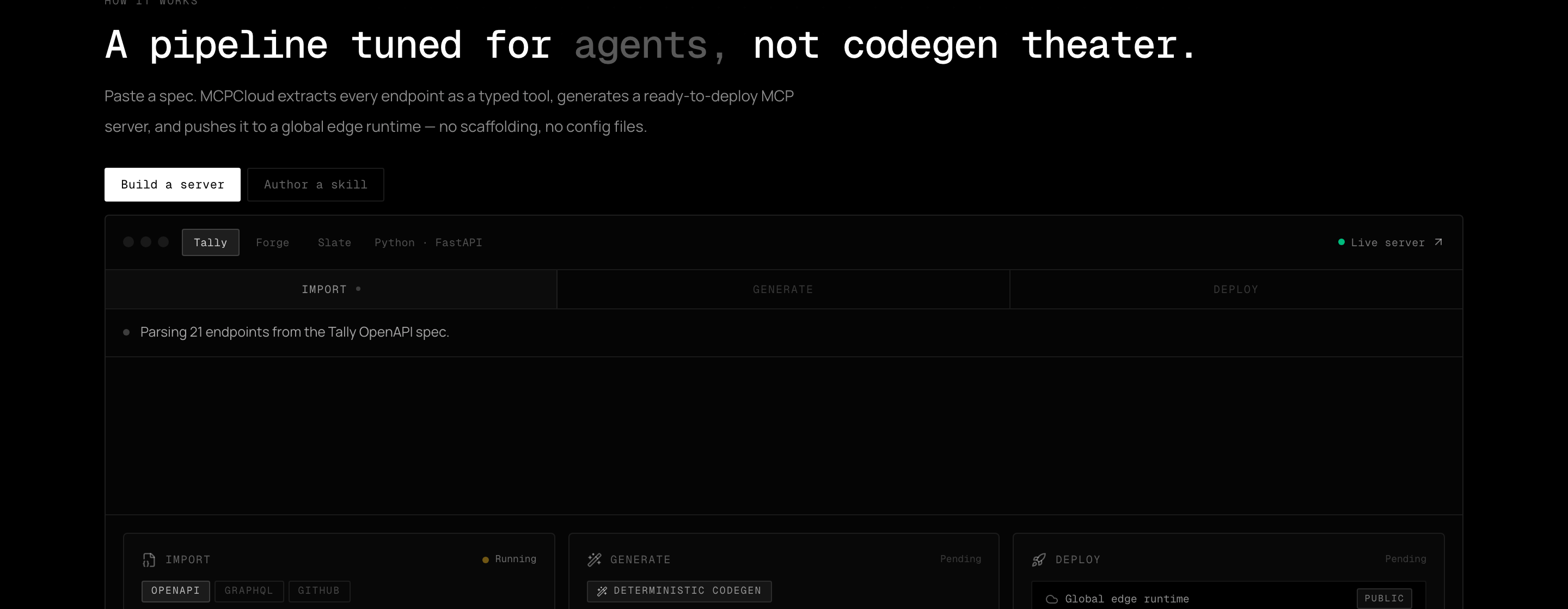
The build pipeline that the lifecycle revolves around.
1. Set up
1
Create a project
Projects hold the servers, skills, members, and settings for a workspace.
2
Create a server skeleton
mcp init (or the dashboard) creates an empty server inside the project.2. Import
Bring in an API definition — OpenAPI/Swagger, GraphQL, a GitHub repo, or a spec URL — and curate the operations worth exposing as tools.3. Enrich & generate
Claude rewrites each tool description for agent comprehension, and deterministic codegen produces a typed TypeScript server. Every build is scanned with ESLint security rules and Semgrep before it can ship.4. Deploy
Push the generated bundle to the global edge runtime and verify the build reaches a terminal state.5. Integrate
Connect clients (Cursor, Claude Code, VS Code, ChatGPT, and others) and validate discovery, auth, and at least one real tool invocation. See the Clients guides.6. Operate
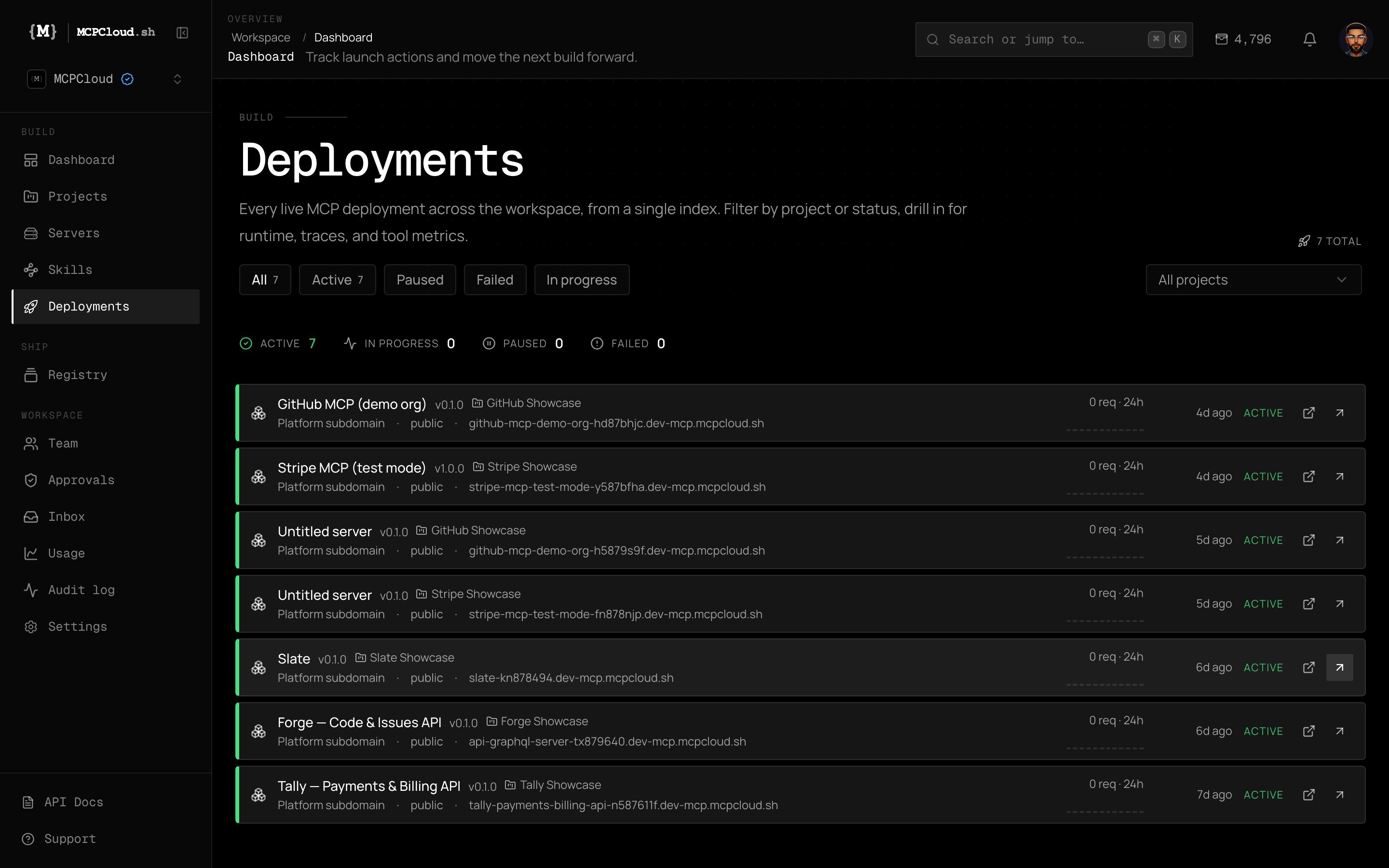
The Deployments index — every live deployment across the workspace, with status, subdomain, and request metrics.
Watch deployments
mcp deployments logs <id> --follow to tail events; check health with mcp deployments get.Track usage
Install counts, error rates, and latency per tool per version in the dashboard.
Rotate keys
Issue scoped API keys per integration and revoke stale ones.
Review audit
mcp audit list for org events (admin/owner, capability-gated).7. Evolve
- Push spec changes and ship a new version:
mcp servers push-spec <id> --spec ./openapi.yaml --deploy --wait. - Use semantic versioning so clients can pin; major bumps flag breaking changes.
- Publish stable artifacts to the registry and deprecate unsafe tools gradually.